Monzta Mobile Suite
A multi-screen mobile product made cohesive, easier to navigate and ready to grow.
Monzta needed its multi-screen mobile product to feel like one system: a clearer interface, a stronger navigation flow and higher visual consistency across the journey. KAPAT approached it as a product-style engagement with particular attention to screen consistency, feature discoverability and a design system that behaves reliably.
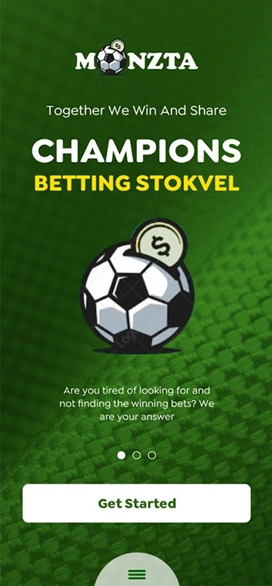
Project interface
- Client
- Monzta Mobile Suite
- Project Type
- App experience design
- Industry
- Consumer Commerce
- Platform
- Mobile (iOS / Android)
- Engagement
- Mobile interface system and feature flow design
- Status
- Delivered
Business Context
A consumer commerce app with many screens and one expectation: that it feels like a single product.
Monzta operates a consumer commerce product that spans a wide set of screens. Users move between browsing, selecting and completing actions, and every inconsistency between screens costs them a moment of reorientation. As screens are added, that cost compounds unless there is a system underneath.
The brief was to make the suite read as one product: a shared interface language, predictable navigation and action placement, and visual patterns that can be reused as new features and screens are introduced.
The Challenge
Make a multi-screen mobile product feel more cohesive, easier to navigate and more scalable as additional screens or features are introduced.
01
Consistent UI language
Every screen in the set needed to share the same components, spacing and tone so that nothing feels borrowed from another app.
02
Cleaner touch targets and spacing
Controls had to be sized and spaced for reliable use on a phone, with the same rules applied throughout.
03
Predictable navigation patterns
Users needed to find actions in the same place on each screen rather than relearning the layout per feature.
04
A visual system built for scale
The patterns had to survive iteration, so that future screens extend the system instead of diluting it.
KAPAT Approach
How KAPAT approached the work.
01
Discover
Audited the existing screen set and the journeys across it to find where consistency and discoverability broke down.
02
Structure
Mapped the major user flows and defined where navigation and primary actions should sit on every screen.
03
Design
Designed the interface system: components, spacing rules and touch targets shared across the suite.
04
Build
Applied the system screen by screen, refining feature flows and conversion-oriented moments as it went.
05
Refine
Reviewed screen-to-screen consistency across the journeys and tightened patterns for future iteration.
What Was Delivered
What was delivered.
01
Mobile interface system
A consistent UI language and reusable component set applied across the full screen set.
02
Screen-to-screen consistency
Shared spacing, touch-target and layout rules so that each screen reads as part of the same product.
03
Feature flow refinement
Clearer journeys through major features, with more predictable navigation and action placement.
04
Conversion-oriented product design
Key actions positioned and framed to support completion without adding clutter.
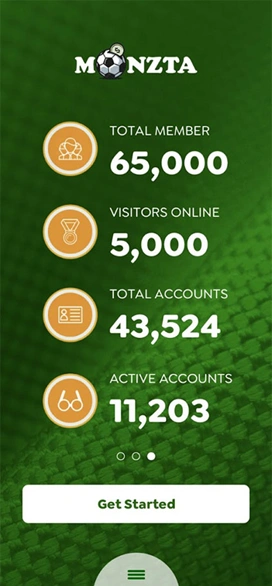
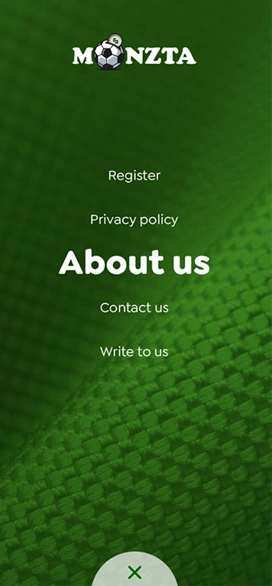
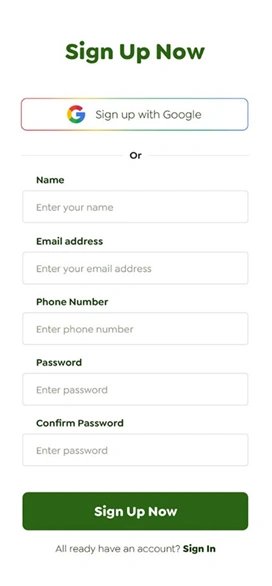
Interface
Selected interface views.
Verified screenshots only. Frames marked in preparation are replaced as screenshots are approved for publication.

What KAPAT Handled
KAPAT's contribution.
Outcome
The mobile suite now reads as one product system rather than a set of disconnected screens, with stronger pattern consistency across the major journeys.
Related solutions and services
Related Solutions
- Solution PageCustomer & Vendor PortalsView solution
- Solution PageBusiness Operations & Workflow SystemsView solution
- Solution PageAI-assisted Business SystemsView solution
- Solution PageHealthcare & Clinical PlatformsView solution
Related Services
Work
Need a system built with this level of care?
Start with the business problem. KAPAT will define the architecture, the scope and the engineering approach with you.
A direct conversation with the engineers who would build the system — no sales layer in between.
View Services